Whether you’re operating a single control room or managing metering across an entire broadcast facility, having the right information in the right place is essential.
RTW Network Display extends your metering beyond the physical device, allowing any metering view to be displayed in a standard web browser. Without installing additional software, operators, engineers and technical staff can access live metering from anywhere on the network.
The technology is available across the RTW product family.
The difference is not how it works, but how far it can be expanded.
One technology, multiple products
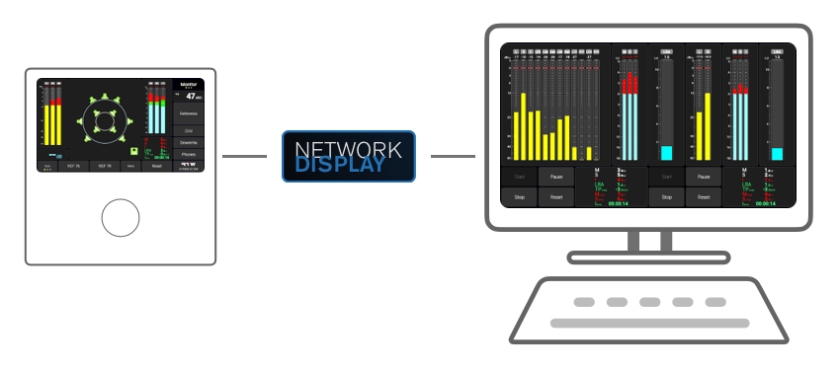
Network Display is built on a simple concept: the browser becomes another display for your RTW device.
Instead of streaming video or remotely controlling the user interface, the browser renders the meter screen directly. This provides smooth graphics, responsive performance and allows displays to be placed wherever they are needed.
Depending on the product, Network Display can either extend the primary display or create entirely new, independent displays.
TouchMonitor 5 and TouchControl 5
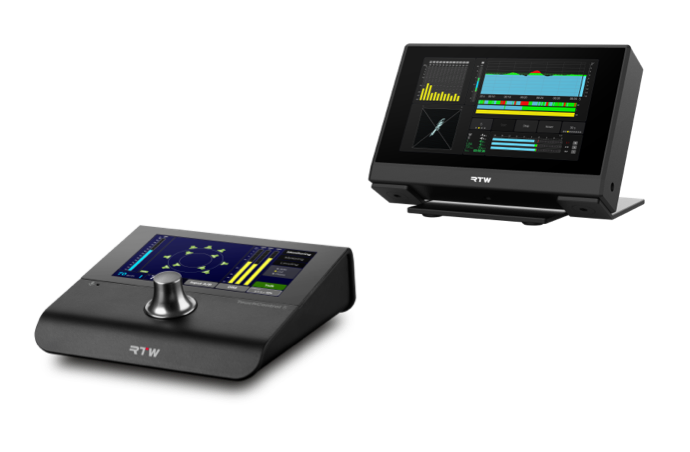
On Compact Line, TouchMonitor 5 and TouchControl 5, Network Display extends the device’s built-in screen.
Once enabled through a Network Display license, the same screen shown on the device can also be opened in a web browser. The browser display follows the characteristics of the built-in display, including its resolution and aspect ratio, making it ideal for remote confidence monitoring or additional operator displays.
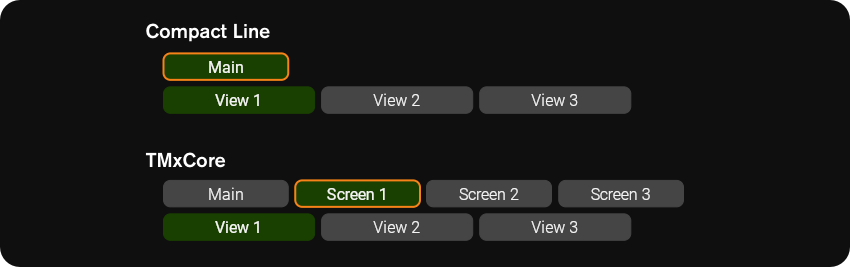
Each screen can contain multiple Views (2 for TouchMonitor 5, 3 for TouchControl 5), and each View can contain multiple instruments and buttons. This allows one View to be displayed on the device while another View from the same screen is shown simultaneously in the browser, providing additional flexibility without requiring separate screen definitions.
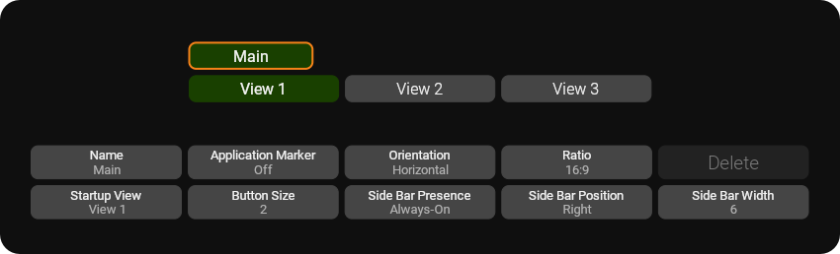
Think of the hierarchy as this:
Preset → Screen → Views → Instruments & Buttons
Typical applications include:
- Confidence displays in control rooms
- Loudness meters on large monitors
- Monitoring from another workstation
- Technical displays in machine rooms
The browser simply becomes an extension of the device’s primary display.
TMxCore: Expanding beyond the physical display
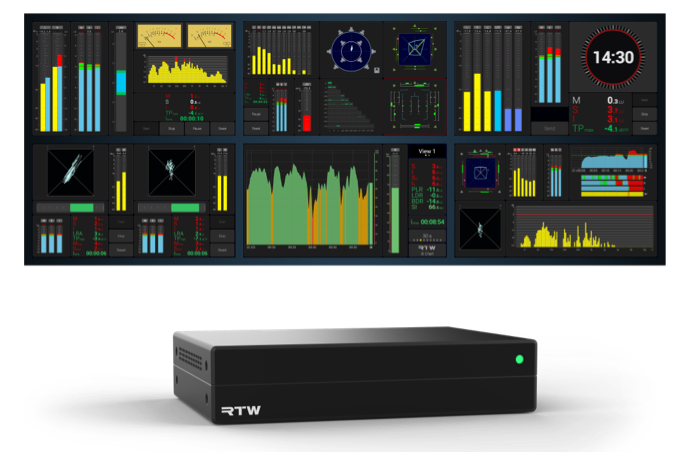
TMxCore follows the same principle.
Its physical DisplayPort output serves as the primary display, just as the built-in touchscreen does on TouchMonitor 5 and TouchControl 5. Network Display is included as a standard feature, allowing this display to be viewed remotely in a browser.
Where TMxCore goes further is with Virtual Screens.
Virtual Screens are enabled through optional licenses and allow TMxCore to create additional browser-based displays that are completely independent of the DisplayPort output, and of each other.
Each Virtual Screen is configured independently and contains one or more Views. Every screen has its own:
- One or more Views
- Layout
- Aspect ratio
- Instrument and buttons selection

- A dedicated loudness display for production
- An Immersive Analyzer for audio engineering
- A surround correlation display
- System status and routing information for technical operations
Each user sees only the information they need, on a display optimized for its purpose.
From one display to many
The strength of RTW Network Display lies in its scalability.
For TouchMonitor 5 and TouchControl 5, it extends the primary display, making metering available wherever it is needed on the network.
For TMxCore, the same technology starts with the physical DisplayPort output and can be expanded with Virtual Screen licenses to create multiple independent metering displays across an entire facility.
Whether you need a single confidence monitor, dedicated displays for different operators, or a distributed metering infrastructure, RTW Network Display grows with your workflow, delivering the right meters to the right people, exactly where they need them.
Learn more about TouchControl 5
Learn more about TouchMonitor 5